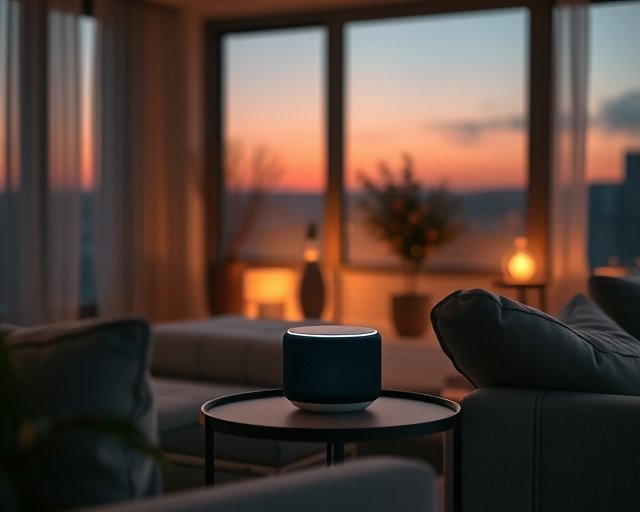
Are Smart Speakers Always Listening to You? (2026)
No — a smart speaker isn’t sending everything it hears to the cloud, but it is always listening for one thing: its wake word. A small on-device chip runs a low-power pattern match against a few seconds of rolling audio, discards what doesn’t match, and only starts recording and streaming to a server the moment it hears “Alexa,” “Hey Google,” or “Hey Siri.” That distinction — local detection versus cloud recording — is the whole answer, but it’s worth knowing exactly where the line sits and how often devices cross it by mistake.
Here’s how wake-word detection actually works, when speakers get it wrong, and what you can check on your own device in under five minutes.
How does wake-word detection actually work?
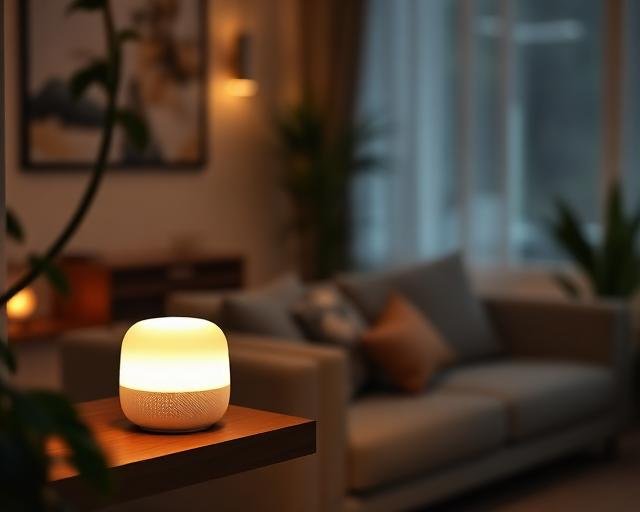
The microphone stays on, but nothing leaves the device until the wake word matches. Amazon, Google, and Apple all use a dedicated low-power processor — separate from the main chip — that does nothing but compare incoming audio against a stored acoustic pattern for the wake word. That pattern lives on the device itself; it isn’t compared against a live internet connection. Only once the pattern matches does the speaker light up, start buffering audio, and open a connection to send that clip to Amazon’s, Google’s, or Apple’s servers for the actual command processing.
Do smart speakers ever record without a wake word?
Yes, but it’s a false-positive, not an intentional recording. Amazon has publicly acknowledged that Alexa devices occasionally mistake a similar-sounding word or phrase for the wake word and start a recording by accident. Google and Apple have had comparable incidents documented by security researchers and reported in tech press over the past several years. These are errors in the wake-word model, not evidence the microphone is streaming continuously — but they’re common enough that all three companies now let you review and delete those accidental clips from your account’s voice history.
What happens to a recording once the wake word triggers it?
It’s encrypted, sent to the company’s servers, transcribed, and — depending on your settings — stored for a period of time. Amazon, Google, and Apple each let you turn off long-term storage of voice recordings, and each has moved toward shorter default retention windows since 2019, after reporting revealed that human contractors were reviewing snippets of audio to improve transcription accuracy. That contractor review has been scaled back and made opt-in on all three platforms, but the underlying pipeline — record, transcribe, respond — is the same across ecosystems.
| Ecosystem | Wake word | Default voice history retention | Manual delete option |
|---|---|---|---|
| Amazon Alexa | “Alexa” (or “Echo,” “Amazon”) | Kept until deleted, unless you set auto-delete | Yes — 3, 18 months, or “don’t save” in the Alexa app |
| Google Assistant | “Hey Google” / “OK Google” | Auto-deletes after 3 or 18 months (configurable) | Yes — Web & App Activity settings or voice command “delete my last conversation” |
| Apple Siri (HomePod) | “Hey Siri” / tap | Recordings are not stored by default since 2019 changes | Yes — Settings > Privacy > Analytics & Improvements |
How do you check or delete what your speaker has recorded?
Each ecosystem keeps this under account settings rather than the device itself. On an iPhone or Android phone:
- Open the Alexa, Google Home, or Home app tied to your speaker.
- Go to account or privacy settings and look for “Voice History,” “My Activity,” or “Analytics & Improvements.”
- Review the list of recent clips, play any you want to check, and delete individually or in bulk.
- Set an auto-delete window (3 months is a reasonable default) so you don’t have to repeat this manually.
How do you reduce how much your speaker can hear?
The physical mute button is the only guaranteed way to stop listening entirely. Every mainstream smart speaker has a hardware mute switch that physically disconnects the microphone circuit — not just a software toggle — so pressing it is the one setting you can trust completely, wake-word bugs included. Short of that, you can also disable “follow-up mode” or “continued conversation” features, which keep the mic open slightly longer after a command to catch a follow-up question, and you can move a speaker out of bedrooms or home offices if you’d rather it not be near sensitive conversations at all.
Last updated: September 2026.
Frequently asked questions
Can Alexa or Google Home record me without saying the wake word?
Only by mistake. Both companies have confirmed their devices occasionally mishear a similar sound as the wake word and start recording briefly — this shows up in your voice history and can be deleted, but it isn’t an intentional always-on recording feature.
Do smart speakers sell my voice recordings to advertisers?
Amazon, Google, and Apple all state they don’t sell voice recordings directly to third-party advertisers. Google and Amazon may use anonymized interaction data to improve their own products and, in Google’s case, inform ad personalization settings you can turn off — but that’s different from selling raw audio clips.
Is it safer to unplug a smart speaker when not in use?
Unplugging works but is overkill for most households — the hardware mute button achieves the same result (disconnecting the microphone) without losing your settings or needing to re-set up the device each time.
Do smart displays like the Echo Show listen more than speakers without a screen?
No — the microphone and wake-word behavior is identical; a smart display adds a camera, which is a separate privacy consideration with its own mute/cover control, not an expansion of how the microphone works.
Can a smart speaker be hacked to listen in secretly?
It’s technically possible if a device is compromised through weak account security or unpatched firmware, which is why using a strong, unique password and keeping automatic updates on matters — see the hacking risks below for the fuller picture.
Next: for the broader picture on device security, read Can Smart Home Devices Be Hacked? and Are Smart Homes Safe From Hackers in 2026?