

Why Does My Smart Plug Click But Not Turn On?
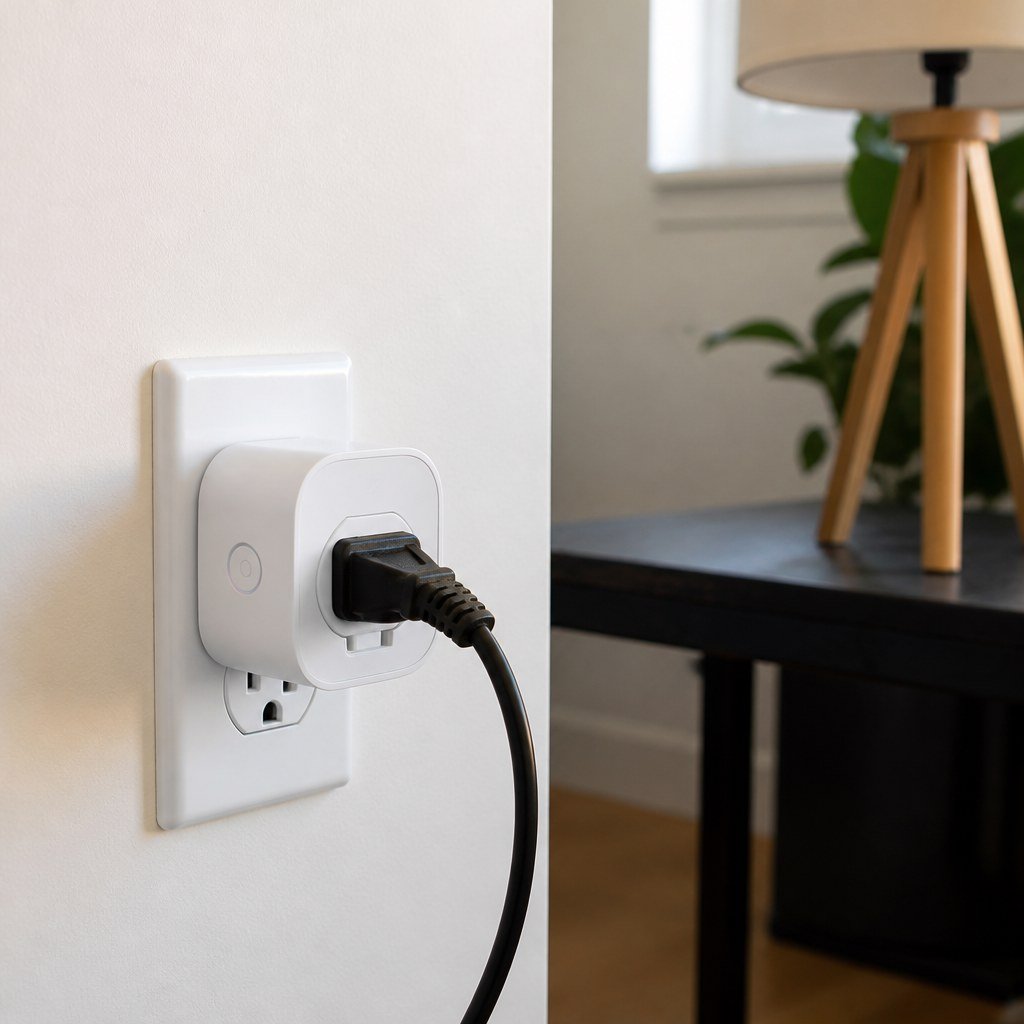
A smart plug that clicks but stays off is usually operating its internal relay without delivering power. The cause may be a dead outlet, failed appliance, overload protection, bad schedule, or damaged relay contacts. The U.S. Consumer Product Safety Commission advises stopping use of electrical products that overheat, smoke, spark, or smell burned.
By Olami Y.
Last updated November 06, 2026
What does the clicking sound mean?
The click means the smart plug’s relay is attempting to change position, but it does not prove that electricity reached the connected device.
A relay is an electrically controlled switch inside the plug. When you tap the app button, use a voice command, or press the physical button, the relay moves and produces the familiar click. Power can still stop elsewhere in the circuit.
Watch the smart plug’s status light and app tile. If they change from off to on when you hear the click, the controls probably work. Your next job is to test the outlet, appliance, and output separately. If the status immediately returns to off, look for an overload, automation, or internal protection response.
How do you find the failed part?
Test one part at a time, starting with checks that require no reset or electrical tools.
- Unplug the appliance from the smart plug and switch the appliance itself to its normal on position.
- Plug the appliance directly into the wall outlet. If it does not run, test a simple lamp in that outlet.
- Reset any tripped GFCI receptacle that protects the outlet. Check the electrical panel for a tripped breaker, but do not repeatedly reset a breaker that trips again.
- Plug the smart plug back into a confirmed working outlet without an appliance attached. Press its physical button and check whether the indicator follows the command.
- Connect the simple lamp and switch the smart plug on. A working lamp is a safer diagnostic load than a heater, air conditioner, kettle, or motor-driven appliance.
- Turn off schedules, timers, away modes, energy limits, and automations temporarily. An automation may issue an off command seconds after you turn the plug on.
- Restart the plug according to the manufacturer’s instructions. If that fails, use the documented factory-reset procedure and add it to the app again.
If the plug controls the lamp but not the original appliance, check the appliance’s rating label against the smart plug’s current, wattage, motor, and resistive-load limits. These limits differ by model. The manufacturer’s current manual or product page is the right source.
Our smart plug setup guidance and smart home hub compatibility coverage can help if the failure began after changing Wi-Fi equipment, apps, or platforms.
What causes a click with no power?
A working relay sound with a dead output usually points to one of 5 practical causes.
The outlet has no power
A tripped breaker, switched receptacle, or upstream GFCI can leave the plug able to click briefly or appear active while the expected outlet is unavailable.
The appliance cannot restart
Some devices remain off after power returns unless you press their own electronic power button. Test with a lamp that has a mechanical switch.
The load is unsuitable
Heating equipment and motors can exceed a plug’s permitted load or startup rating. Never assume the wall circuit rating is also the smart plug rating.
An automation turns it off
Duplicate schedules, sunrise routines, occupancy rules, and energy cutoffs can reverse your command even though the relay responds normally.
The relay contacts have failed
The relay mechanism may move while worn or damaged contacts fail to pass current. A reset cannot repair physical contact damage.

Should you reset or replace the plug?
Reset it if the outlet and lamp work but the plug has a control or configuration problem; replace it if the plug repeatedly clicks without powering that lamp.
Choose a restart first if the problem followed a router change, power outage, firmware update, or edited automation. Choose a factory reset if the physical button works but the app state is wrong. Record schedules before resetting because the process may remove them.
Choose replacement if the plug fails in multiple known-good outlets, cannot power a low-demand lamp, or shows heat damage. Check the manufacturer’s warranty instructions before disposal. Our coverage of energy-monitoring plugs can also help you decide whether load reporting is useful in a replacement.
When should an electrician check the outlet?
Call a licensed electrician when the outlet is loose, scorched, crackling, intermittently dead, or unable to hold a plug securely.
You should also stop DIY troubleshooting if a breaker or GFCI trips again after one reset, multiple outlets have failed, or there is evidence of water exposure. Those symptoms may involve fixed wiring rather than the smart plug.
Do not remove the receptacle cover, probe live contacts, or bypass grounding to test the device. Renters should report outlet defects to the landlord or property manager instead of altering the wiring. Our renter-safe smart home guidance focuses on removable devices, not repairs inside an electrical box.
Start now: test the outlet with a lamp, then test that same lamp through the smart plug. If the outlet works and the plug does not, disconnect the plug and use the Domoviq tools hub to plan your next step.