What to Look for in a Smart Thermostat Before Buying
Before buying, confirm HVAC and wiring compatibility, especially whether the thermostat needs a C-wire. Then compare scheduling, remote sensors, privacy, app access, platform support, installation limits, and total cost. ENERGY STAR certification provides a useful efficiency screen, but the right model is the one your specific heating and cooling system can operate safely.
By Olami Y.
Last updated September 01, 2026
Will it work with your HVAC system?
Compatibility comes before every smart feature. A thermostat can fit the wall and still be electrically wrong for the equipment behind it.
Use the manufacturer’s online compatibility checker with the exact model of your HVAC equipment and a photo of the existing thermostat wiring. Do not rely only on wire colors; labels at the terminals matter more. Common labels include R, W, Y, G, and C, but heat pumps, multi-stage systems, boilers, and proprietary communicating systems need closer checking.
A C-wire, or common wire, supplies continuous low-voltage power. Some thermostats can work without one through an approved power adapter or power-stealing design, but compatibility varies by system. Check the current installation guide, not a retailer’s summary.

Which features will you actually use?
Choose features that solve a routine problem, rather than paying for every option on the box.
Scheduling and learning
Choose manual scheduling if your week is predictable. A learning model may suit changing routines, but check whether its automatic adjustments can be reviewed, limited, or disabled.
Room sensors
Remote sensors can prioritize a bedroom or office instead of the hallway where the thermostat sits. Confirm whether sensors detect temperature, occupancy, or both, and whether they are included or sold separately.
Geofencing and occupancy
Geofencing uses your phone’s location to change settings when people leave or return. For multi-person homes, verify how the app handles several phones, guests, dead batteries, and location permissions.
Alerts and reports
Useful alerts cover unusual temperatures, equipment runtime, filter reminders, or loss of connection. Treat energy reports as guidance, and confirm what data they use before comparing one home with another.
For more detail on routines that cross brands, see our guide to smart home hub compatibility and our Smart Home Lab coverage of temperature sensors.

What should connect, and what should stay private?
The thermostat should support the household members and platforms you plan to use, without forcing unwanted cloud features.
Check the manufacturer’s current support page for Apple Home, Amazon Alexa, Google Home, Matter, or any required hub. Platform support changes, and a logo on an old package may not describe current functions. Also confirm whether basic scheduling and temperature changes still work at the wall during an internet outage.
Read the privacy policy for location history, occupancy data, voice-assistant links, retention, deletion, and advertising use. Look for two-factor authentication and a clear way to remove your account before resale. If remote access requires a subscription, the manufacturer’s current listing should say what remains usable without payment.
What will it cost beyond the thermostat?
Budget for required accessories, installation, subscriptions, and possible HVAC service, not just the shelf price.
Prices change too often for a useful fixed estimate here. Compare the delivered price on the manufacturer’s site, then add every required part and any quoted labor. Check utility and state energy-program sites for current rebates; eligibility often depends on address, equipment, product model, or enrollment conditions.
Common buying mistakes
- Buying before photographing the terminals and checking the exact system type.
- Assuming every feature works without Wi-Fi, a hub, or a paid plan.
- Choosing a touchscreen that household members cannot read or operate easily.
- Discarding the old thermostat before the new setup passes heating and cooling tests.
Can you install it yourself safely?
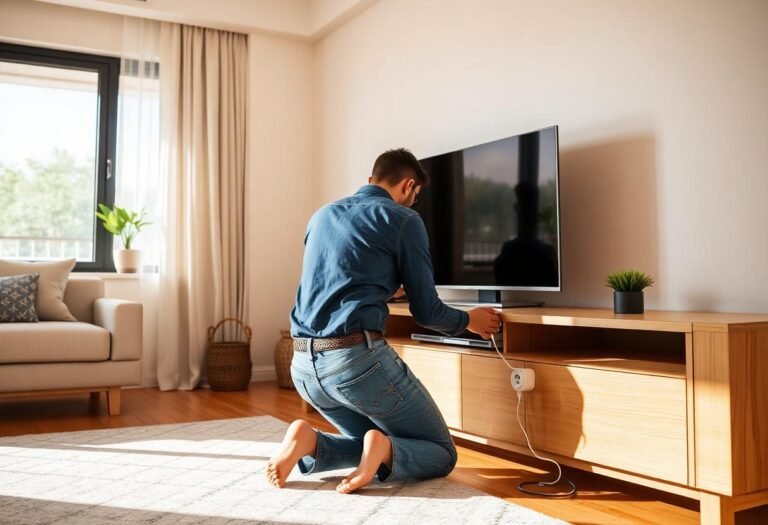
A careful DIY installation is reasonable only when the manufacturer confirms compatibility and the wiring matches its documented instructions.
- Turn off power to the HVAC equipment at the breaker, then confirm the thermostat display and system are off.
- Photograph the old wiring, label each conductor by terminal, and keep any jumper details visible.
- Follow the new thermostat’s manual for mounting, wiring, power accessories, and initial equipment settings.
- Restore power and test heating, cooling, fan control, schedules, app access, and every installed sensor.
Stop if a breaker trips, wires heat up, the system short-cycles, or heating starts during a cooling call. Shut power off and contact a licensed HVAC technician. Gas furnaces, boilers, heat pumps, and multi-stage equipment can have controls that deserve model-specific diagnosis.
Our Smart Home Lab thermostat setup checks and guide to smart sensor placement can help with post-install testing.
What should your final decision look like?
Buy only after you can answer yes to compatibility, safe power, useful controls, acceptable data practices, and a complete-cost budget.
Use this quick decision rule: choose a basic connected thermostat if you mainly want schedules and phone control. Choose a sensor-focused model if rooms run unevenly or occupancy varies. Choose a learning model only if you want automatic adjustments and can override them easily.
Five checks before checkout
- The manufacturer lists your exact HVAC configuration as compatible.
- The power method matches the installation guide, including any approved adapter.
- Every must-have feature works with your phones, platform, and internet setup.
- The privacy policy and account-deletion process meet your comfort level.
- The final price includes sensors, accessories, labor, and recurring fees.
Before ordering, remove the existing thermostat faceplate with power off, photograph the labeled terminals, and run that evidence through the manufacturer’s compatibility checker. Save the result with the model number and return policy.
Check compatibility before you buy
Take one clear photo of the terminal labels, note your HVAC model number, and compare both against the thermostat maker’s current requirements before you order.