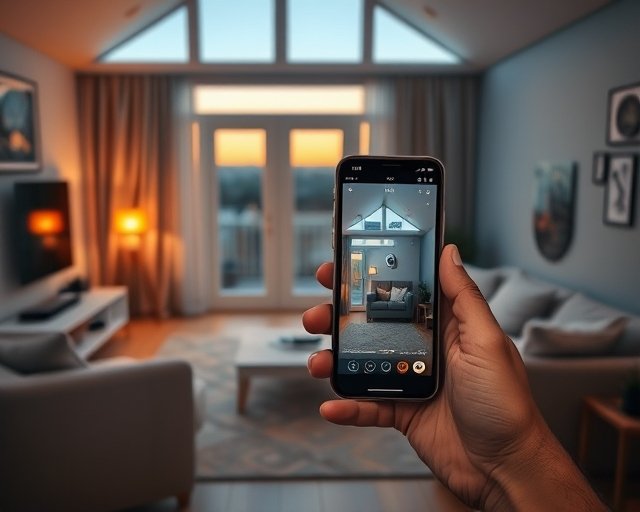
Who Can See My Smart Home Camera Footage? (2026)
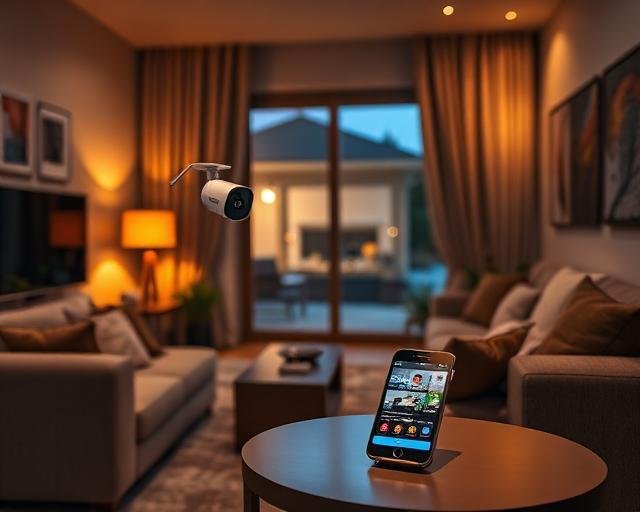
By default, only you and the people you specifically invite into your camera’s app can see your footage — but the camera maker’s staff can technically access it too, under narrow, logged circumstances tied to support requests, safety reviews, or a valid law enforcement demand. The exact list of who can see what depends heavily on whether your camera stores video in the cloud or on a local drive, and on the privacy settings you’ve actually configured, not just the ones sitting in the box.
Here’s the real breakdown: who has access by default, when a company employee can legally look at your clips, what police can and can’t get without your permission, and the settings that shrink that list down to just you.
Who has access to your footage by default?
Only your account and anyone you add as a shared user can view live or recorded footage under normal settings. Most brands — Ring, Google Nest, Arlo, Eufy, Wyze — require a second person to accept an invite link tied to your account before they can see anything. Nobody at the company can casually browse your feed; access outside your account requires a specific, documented reason.
That said, “default” varies by brand. Some doorbell and camera apps auto-generate a shareable link for delivery notifications or package alerts, and a link like that can be forwarded by anyone who has it. Check your app’s “shared users” or “family access” list at least once — it’s common to find an old roommate or a previous tenant still on it.
Can the camera manufacturer’s employees see your footage?
Yes, in limited cases, and the major brands publish when. Ring’s law enforcement and privacy policy states employees can access footage to enforce terms of service, respond to a valid legal request, or investigate a report of illegal activity — and Ring says it logs and audits that access. Google and Amazon-owned brands describe similar internal-review processes for abuse reports or account security investigations. This isn’t unique to smart cameras; any cloud storage provider (Dropbox, Google Photos) has comparable internal-access policies.
The distinction that matters is whether footage is end-to-end encrypted. Apple HomeKit Secure Video, for example, encrypts clips so that Apple itself cannot view them — only you and people you’ve shared Home access with hold the keys. Most other brands’ standard cloud plans are encrypted in transit and at rest, but not end-to-end, meaning the company retains technical access even if it rarely uses it.
Is cloud storage or local storage more private?
| Storage type | Who can normally see it | Company access |
|---|---|---|
| Cloud (standard, encrypted in transit/at rest) | You + shared users you invite | Possible under support, abuse, or legal requests; usually logged |
| End-to-end encrypted cloud (e.g., HomeKit Secure Video) | You + Apple Home members only | Not technically possible — Apple holds no decryption key |
| Local storage (microSD card, local hub, NVR) | Anyone with physical or network access to the device/app | None by default — no cloud upload, nothing for the company to access |
| Shared/public link (delivery, package alerts) | Anyone holding the link, until it’s revoked | Depends on brand; treat these links as semi-public |
Can police request your camera footage?
Police generally need either your consent or a warrant or subpoena to obtain your footage from the manufacturer. Ring ended its practice of letting police request footage directly from users through the Neighbors app in 2024, and now requires law enforcement to go through a formal legal process to compel a company to hand over cloud recordings. Exceptions exist for exigent circumstances — a company may voluntarily disclose footage if it believes there’s an imminent risk to someone’s safety, similar to how email providers handle emergency requests.
If footage lives only on a local microSD card or NVR in your home, no cloud data exists for a company to hand over at all — investigators would need a warrant addressed to you directly.
How to limit who can see your camera footage
Tighten access in your camera app’s settings rather than assuming the defaults are locked down:
- Open the shared-users or family-access list and remove anyone who no longer needs it.
- Turn off end-of-driveway or public sharing features if the app offers a community/neighborhood feed.
- Enable end-to-end encryption where it’s offered — HomeKit Secure Video, or the equivalent premium tier some brands now sell.
- Use a strong, unique password and two-factor authentication on the camera account itself, since a compromised login is the most common real-world way outsiders see footage.
- Consider local-only storage if cloud access — company or otherwise — is a dealbreaker for you.
Frequently asked questions
Can my smart camera company watch me live?
Not routinely. Live viewing by employees would require the same triggers as recorded footage access — a support request you initiate, an abuse investigation, or a legal order — and reputable brands log this access rather than allowing casual viewing.
Does Wi-Fi network access let a hacker see my camera feed?
It can, if your router or camera still uses a default or weak password. A device on your Wi-Fi network isn’t automatically able to view an encrypted cloud feed, but a poorly secured camera with exposed local streaming can be a real risk — see our guide on preventing smart home hacks for the specific fixes.
Are smart camera apps required to tell me when someone accesses my footage?
Most major brands publish an access log or notify you of new device logins, but “someone accessed my account” logs are different from “an employee reviewed my footage” logs — the latter usually only surfaces in a company’s published transparency report, not your personal app.
Is local storage actually more private than cloud storage?
Yes, in the sense that there’s no copy sitting on a company’s servers for anyone to request or breach. The trade-off is you lose remote viewing convenience and automatic backup if the device is stolen or damaged.
Can family members see footage without me knowing?
Only if you’ve added them as a shared user, or if they know your account password. Review your shared-user list periodically, especially after a move or a relationship change.
Next: for the security fundamentals behind this, read Can Smart Home Devices Be Hacked? and Are Smart Homes Safe From Hackers in 2026?
Last updated: September 2026