Best Smart Home Devices With No Monthly Fee in 2026
You can build a genuinely useful smart home without paying a single monthly fee — locks, plugs, lights, sensors, and even cameras all have solid no-subscription options in 2026. The trade-off shows up mainly in cloud video storage and advanced AI alerts, where free-tier devices lean on local storage or basic on-device detection instead. For most rooms in the house, that trade-off barely matters.
Here’s what actually needs a subscription, what never does, and how to pick the no-fee version of each device category.
Which smart home devices never need a monthly fee?
Lighting, plugs, sensors, and most locks work entirely subscription-free, out of the box, forever. These devices connect straight to Wi-Fi, Zigbee, or Matter and store their automation rules on your phone or a free hub app rather than in a paid cloud tier.
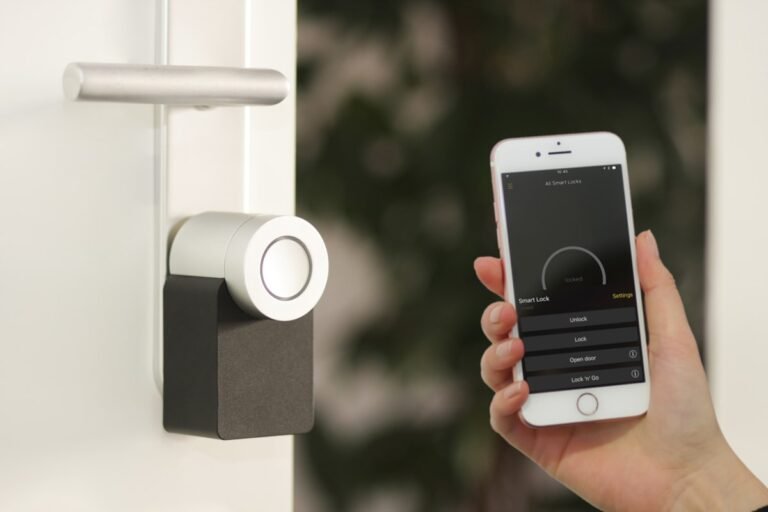
Smart plugs like the TP-Link Kasa KP125 or Amazon Smart Plug run schedules and remote control with zero recurring cost. Smart bulbs from Philips Hue, Sengled, or TP-Link Tapo work the same way — the app is free, and dimming, color, and scheduling features stay free permanently. Door and window sensors, water leak sensors, and most smart locks (August, Schlage Encode, Level) also skip subscriptions entirely; the lock’s core function, unlocking your door, was never something manufacturers gated behind a paywall.
Where do smart home subscriptions actually show up?
Cloud video storage is the one category where “free” gets complicated. Cameras and video doorbells generate large amounts of footage, and most brands push you toward a paid plan to keep more than a few hours of it.
| Device type | Typical subscription cost | No-fee workaround |
|---|---|---|
| Security camera | Around $3–$10/month for cloud clips | Local microSD or NVR storage (Eufy, Reolink, Tapo) |
| Video doorbell | Around $3–$8/month for history | Local storage models (Tapo D225, Reolink WiFi) |
| Smart thermostat | Usually free; some utilities offer paid rebate programs | N/A — core features are free by default |
| Home hub / ecosystem app | Free (Alexa, Google Home, Apple Home, SmartThings) | N/A — these apps have never charged for basic use |
| Professional monitoring (ADT, Vivint) | $20–$60/month | Self-monitored DIY security kit with app alerts |
Everything in that last row is a choice, not a requirement — a self-monitored setup with a smart lock, a couple of cameras, and a loud siren covers most home-security needs without a contract.
What’s the real catch with free smart home devices?
The catch is mostly about video and long-term history, not core function. A subscription-free camera still detects motion and sends you a push notification the moment something happens. What you lose is cloud backup if someone steals the camera or the microSD card, richer AI alerts that distinguish a person from a passing car, and multi-camera timeline scrubbing across a whole system. If you only need one or two cameras watching a front door or backyard, local storage covers that job completely.
Which ecosystem should you build a no-fee setup around?
Stick with whichever voice assistant you already use — Amazon Alexa, Google Home, or Apple Home — since all three are free platforms with no subscription tier for basic device control, routines, or scheduling. Add Matter-certified devices where you can; Matter works across all three ecosystems without locking you into one brand, and it doesn’t add any cost of its own. A hub is optional for most starter setups: many plugs, bulbs, and sensors connect straight to Wi-Fi and don’t need one.
How do you avoid getting pushed into a subscription later?
Check three things before buying any camera or doorbell: whether it accepts a microSD card or local NVR, whether the free tier includes live view and motion alerts (most do), and whether any “smart” features are locked behind the paid app tier rather than the free one. Brands like Eufy, Reolink, and TP-Link Tapo build local storage in from the start rather than treating it as an afterthought, which is why they show up repeatedly in no-subscription buying guides.
Frequently asked questions
Do smart plugs and bulbs ever require a subscription?
No. Smart plugs, bulbs, and switches from major brands like TP-Link, Amazon, Philips Hue, and Sengled have never required a paid tier for scheduling, remote control, or voice assistant integration — that functionality is part of the free app.
Can you get a security camera with zero monthly cost?
Yes. Cameras that record to a local microSD card or a separate NVR, such as the Eufy SoloCam S340 or Reolink Argus 4 Pro, give you motion alerts and video playback with no cloud plan required.
Is Alexa or Google Home free to use?
Yes, both are free. Voice control, routines, and device grouping in Amazon Alexa and Google Home have no subscription requirement; you only pay if you add an optional service like music streaming or professional monitoring on top.
Do smart locks need a monthly fee?
Most don’t. Locks like the August Wi-Fi Smart Lock or Schlage Encode work with their free companion app for unlocking, guest codes, and activity history. A few locks offer an optional paid tier for extras like remote access without a hub, but the core lock function stays free.
Is DIY home security cheaper than ADT or Vivint long term?
Generally yes, if you’re comfortable self-monitoring. Professional monitoring from companies like ADT or Vivint typically runs $20–$60 a month, while a self-monitored kit of cameras, sensors, and a smart lock has a one-time hardware cost and no recurring bill.
Last updated: September 2026.
Next: see the best security cameras without a subscription and the cheapest way to start a smart home for device-by-device picks.