Tuya vs Smart Life vs Smart Home Ecosystems Explained
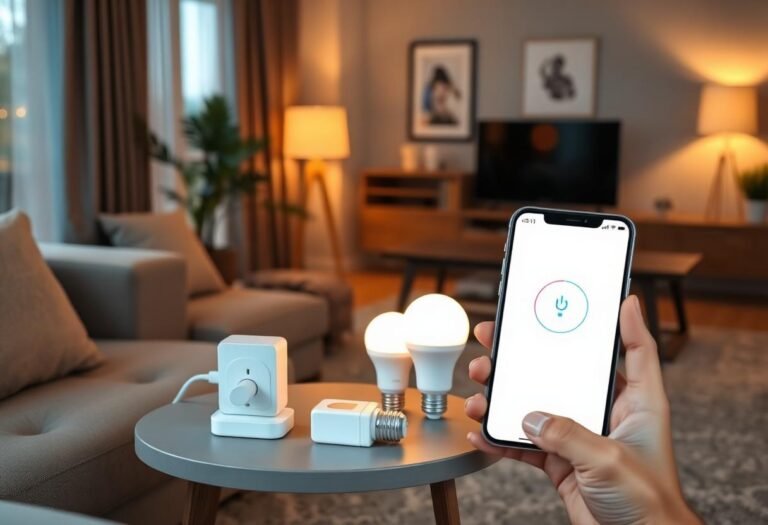
Tuya and Smart Life are the same underlying platform wearing two different app names, while “smart home ecosystems” — Alexa, Google Home, Apple Home, SmartThings, Home Assistant — are separate systems that Tuya-based devices connect into. If your budget bulb, plug, or camera came with a QR code pointing you to “Tuya Smart” or “Smart Life,” you weren’t choosing between two competing products. You were picking two skins on one backend.
Here’s what actually differs, what doesn’t, and where each app or ecosystem fits once you start mixing brands.
What’s the real difference between the Tuya and Smart Life apps?
There isn’t a functional one. Both apps are built and maintained by Tuya Inc., point at the same cloud infrastructure, and support the same device categories — plugs, bulbs, switches, cameras, sensors, thermostats. Brands simply license Tuya’s white-label system and choose which app name to print on the box. A device paired in Smart Life shows up with the same controls it would have in Tuya Smart, because it’s the same account system underneath, not a separate hardware protocol.
The practical difference shows up only in branding: some regions and retailers default to Smart Life, others to Tuya Smart, and a few manufacturers ship a fully rebranded third app (still Tuya-powered) with their own logo. Check the QR code or manual before assuming — pairing the wrong app for your specific device model can fail even though both apps are technically compatible with Tuya hardware.
What is a “smart home ecosystem,” and how is that different from Tuya?
A smart home ecosystem is a voice-assistant and automation platform — Amazon Alexa, Google Home, Apple Home, Samsung SmartThings, or the open-source Home Assistant — that sits above device-specific apps like Tuya. Tuya is the plumbing that makes a $12 smart plug work at all; an ecosystem is what lets that plug respond to “turn off the lights” or join a routine with devices from other brands.
Tuya devices don’t replace these ecosystems — they link into them. Once a Tuya or Smart Life account is connected via a skill (Alexa) or a linked service (Google Home, SmartThings), the ecosystem talks to Tuya’s cloud, which relays the command to your device. Apple Home is the exception: it requires Matter or a Tuya-issued HomeKit-compatible firmware, since Apple doesn’t support this style of cloud-to-cloud linking for older Tuya gear.
Tuya/Smart Life vs the major ecosystems, side by side
| Platform | Role | Local control? | Works with Tuya devices? |
|---|---|---|---|
| Tuya Smart / Smart Life | Native app + cloud for the device itself | Rarely (cloud round-trip by default) | Is Tuya |
| Amazon Alexa | Voice control, routines | No (cloud skill link) | Yes, via the Tuya/Smart Life skill |
| Google Home | Voice control, routines | No (cloud account link) | Yes, via linked account |
| Apple Home | Voice + Home app automations | Yes, if device supports Matter | Only newer Matter-enabled Tuya devices |
| SmartThings | Hub-based automation | Partial, hub-dependent | Yes, via SmartThings’ Tuya integration |
| Home Assistant | Self-hosted automation | Yes, via local Tuya integration or Zigbee2MQTT for rebranded Zigbee gear | Yes, with more setup |
Should you use the Tuya app alone, or link it into an ecosystem?
Use Tuya or Smart Life alone if you have a handful of devices and don’t need voice control; link into an ecosystem the moment you want them to work with other brands or respond to “Alexa” or “Hey Google.” A single smart plug controlled from its own app is fine for one-off use. Once you own a Tuya bulb, a Wyze camera, and a Philips Hue strip, an ecosystem becomes the only way to control all three from one place or one voice command.
- Open Alexa, Google Home, or the Apple Home app.
- Find “Add device” or “Link account” and search for Tuya or Smart Life by name.
- Sign in with the same account used in the Tuya/Smart Life app.
- Approve the permissions request; your devices should populate automatically within a minute.
If a device doesn’t show up, it’s usually region mismatch (some Tuya firmware ties to a specific data center) rather than a broken link — removing and re-adding the skill after confirming the account region fixes most of these cases.
Why do Tuya devices feel slower than name-brand ecosystem devices?
Because most Tuya-based gear routes commands through the cloud instead of your local network, adding a round trip your Wi-Fi router doesn’t control. A command sent from Alexa has to hit Amazon’s servers, which hit Tuya’s servers, which then reach your device — three hops instead of one. This is also why Tuya devices go fully unresponsive during an internet outage, while a locally-controlled Zigbee or Z-Wave device on a hub like SmartThings or Home Assistant often keeps working on the local network.
Newer Tuya devices that support Matter reduce this lag substantially, since Matter traffic can stay on the local network once paired to a Thread border router or compatible hub.
Frequently asked questions
Can I use both the Tuya app and the Smart Life app at once?
Yes, but only one will control a given device cleanly at a time. Signing into both apps with the same account shows the same device list, but pairing a new device should happen in one app to avoid duplicate or conflicting entries.
Do I need to pick Tuya or Smart Life before buying a device?
No — check the box or manual instead. Manufacturers specify which app their firmware is built for, and while both are Tuya-powered, following the printed instructions avoids pairing failures on first setup.
Will switching from Smart Life to Tuya Smart delete my devices or automations?
No, as long as you log into the new app with the exact same account credentials — devices, rooms, and automations are stored server-side under your account, not inside either app.
Does Home Assistant need the cloud to control Tuya devices?
The official Tuya integration still authenticates through Tuya’s cloud once, but many Zigbee-based Tuya devices can be flashed or paired locally through Zigbee2MQTT, removing the cloud dependency entirely.
Is SmartLife the same company as SmartThings?
No. Smart Life is a Tuya-branded app; SmartThings is Samsung’s separate hub-and-app ecosystem. They’re unrelated products that happen to share the word “smart” and can be connected together via an integration.
Last updated: September 2026.
Next: for background on the platform itself, see What Is Tuya Smart Home and Is It Reliable?, and if you’re weighing a hub-based ecosystem instead, read SmartThings vs Home Assistant: Which Is Right for You?