Best Smart Home System for Apartments and Rentals in 2026
The best smart home system for an apartment or rental skips anything that requires drilling or rewiring — battery-powered, plug-in, and adhesive devices only, so nothing gets permanently attached to a unit you don’t own. That usually means a hub-optional ecosystem like Amazon Alexa or Google Home, paired with smart plugs, retrofit locks, and stick-on sensors you can pack up and take with you when the lease ends.
Here’s how to pick the right pieces, what a landlord will and won’t allow, and which devices actually survive a move-out inspection.
What makes a smart home system “rental-friendly”?
A rental-friendly system avoids anything that requires a permit, a wiring change, or a hole in a wall you don’t own. That rules out hardwired in-wall switches, most smart thermostats (which need a C-wire and control your landlord’s HVAC equipment), and any smart lock that replaces the entire deadbolt body instead of just the thumb-turn.
What’s left is a large and genuinely capable category: plug-in devices, battery sensors, adhesive mounts, and Wi-Fi cameras that sit on a shelf. None of it touches the building’s wiring, and all of it comes off cleanly with a security-deposit-safe adhesive remover if needed.
Which ecosystem should renters pick?
Amazon Alexa is the easiest starting point for most renters because its device catalog leans heavily toward cheap, no-hub, plug-and-pair hardware — the exact category that works in a rental. Google Home is a close second if you’re already on Android, and Apple Home suits iPhone households that want tighter privacy controls, though its device selection for renters is narrower.
Whichever you choose, keep every device on the same ecosystem for the first year. Mixing three assistants in a 700-square-foot apartment adds setup friction without adding much control.
| Ecosystem | Best for renters when… | Typical entry cost |
|---|---|---|
| Amazon Alexa | You want the cheapest, widest device selection | $25–$40 for a speaker + plug |
| Google Home | You’re on Android and want Nest camera integration | $30–$50 for a speaker + plug |
| Apple Home | You’re on iPhone and prioritize privacy | $50–$100, fewer budget devices |
What devices actually work in an apartment?
Smart plugs, battery door/window sensors, plug-in cameras, and retrofit locks cover most of what a renter needs. Each swaps in without tools and comes back out just as fast.
Start with a smart plug on a lamp, add a battery motion sensor near the entry, then decide whether a retrofit lock is worth it — check the lease first. Some buildings prohibit even a thumb-turn swap, so confirm with the landlord before installing anything on a door.
- Smart plugs for lamps, fans, and small appliances — no wiring, works with any outlet.
- Battery motion and door/window sensors for basic security awareness.
- Plug-in or battery indoor cameras that mount with adhesive strips, not screws.
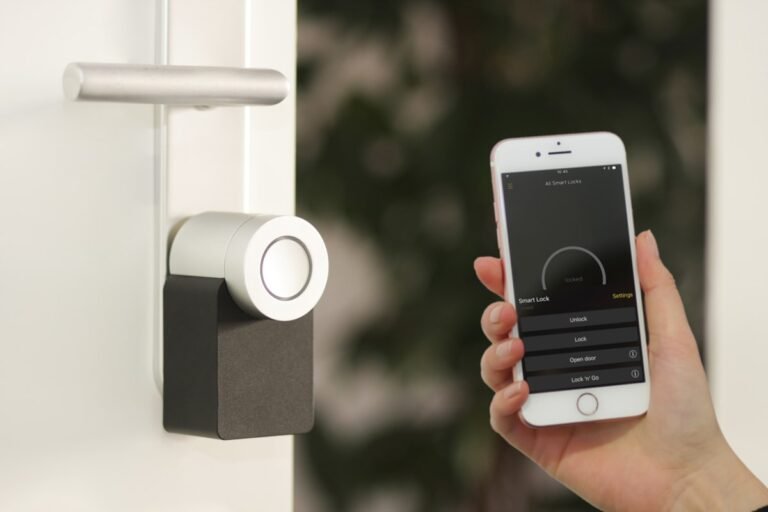
- Retrofit smart locks that turn an existing deadbolt instead of replacing it — see our guide to installing one without swapping the deadbolt.
Can you install a smart thermostat as a renter?
Usually not without permission, and often not at all. Most smart thermostats replace the existing wall unit and wire directly into the building’s HVAC system — equipment you don’t own. If your lease allows it, keep the original thermostat and reinstall it before moving out; if it doesn’t, look at a smart AC controller or portable smart plug instead, which sits on top of a window unit or space heater without touching any wiring.
What about a smart lock — is it worth the hassle?
A retrofit lock is worth it if your lease allows a thumb-turn swap and you value keyless entry, but skip it if your building bans any lock hardware changes. Retrofit models like the ones covered in our best smart lock for a front door guide mount over the interior turn piece and leave the exterior cylinder and your landlord’s master key untouched, which is usually the deciding factor for approval.
How much should a renter budget?
A workable rental smart home setup runs $80–$200 for the first few devices. A speaker/hub, two or three smart plugs, and one battery sensor covers the basics; a retrofit lock and a camera push the total toward $250–$350 if your lease permits both.
- Start with one smart speaker or display as your hub ($25–$50).
- Add two to three smart plugs for lamps and small appliances ($10–$15 each).
- Add a battery door/window sensor for the main entry ($15–$25).
- Only then consider a retrofit lock or camera, once you’ve confirmed lease terms.
Frequently asked questions
Do I need my landlord’s permission for smart home devices?
Plug-in and battery devices generally don’t need permission since they don’t alter the unit. Anything that touches a door lock, thermostat wiring, or wall switch should be cleared with the landlord first, since it affects building systems or master-key access.
Will smart home devices damage my security deposit?
Adhesive-mounted sensors and cameras typically peel off cleanly with a bit of care; check the manufacturer’s removal instructions before sticking anything to painted drywall. Retrofit locks and any device you screwed in should be reversed and reinstalled with the original hardware before move-out.
What’s the cheapest way to start a smart home in a rental?
A single smart plug on a lamp, paired with a free ecosystem app, is the cheapest entry point at around $15–$20. From there, add devices one at a time as you confirm what you’ll actually use.
Can I take my smart home devices with me when I move?
Yes — that’s the main advantage of a rental-friendly setup. Plugs, sensors, cameras, and retrofit locks all uninstall in minutes and re-pair at the new address, usually needing only a factory reset and a new Wi-Fi connection.
Do smart home devices work on apartment Wi-Fi with data caps or shared networks?
Most devices use very little bandwidth for normal operation, but cameras that stream or record continuously can add up on a metered or shared connection. If your building Wi-Fi has a cap, stick to motion-triggered recording instead of continuous streaming.
Last updated: September 2026.
Next: see our best smart home system for beginners guide for ecosystem picks, or check the best smart home hub for Matter if you want one hub that works across ecosystems.