
Best Smart Home System for Beginners in 2026
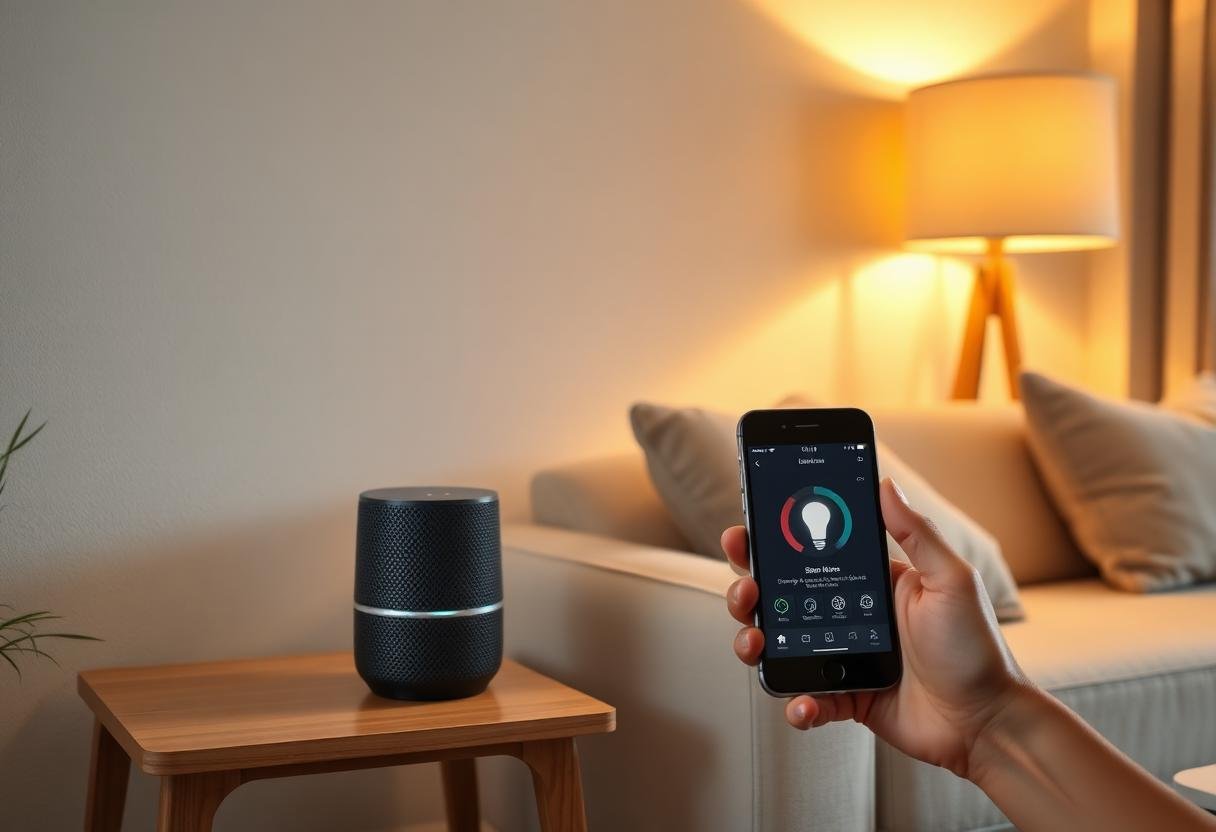
The best smart home system for beginners in 2026 is Amazon Alexa, because it has the cheapest entry hardware, the widest device compatibility, and the simplest app setup of any ecosystem. Apple Home and Google Home are close alternatives if you’re already locked into an iPhone or Android/Google account, and both are just as easy to start with.
Here’s how the four main systems actually compare for a first-timer, what to buy in what order, and the mistakes that make people quit after week one.
What makes a smart home system beginner-friendly?
A beginner-friendly system needs three things: cheap starter hardware, one app that controls everything, and devices that work without a subscription. Price matters less than setup friction — a $200 system that takes an afternoon to pair correctly beats a $50 system that needs a manual and three failed pairing attempts. The systems below all clear that bar; where they differ is device selection, voice assistant quality, and how much they cost once you go beyond the first two or three gadgets.
Best overall for most beginners: Amazon Alexa
Alexa wins on price and device selection. An Echo Dot runs $25–$50 (often less on sale), and nearly every smart plug, bulb, and lock sold in the US lists Alexa compatibility on the box. Setup is a single app — Alexa — that walks you through Wi-Fi pairing and voice training in under ten minutes per device. The tradeoff is that Amazon’s ecosystem leans harder on cloud processing than Apple’s, so if privacy is your main concern, this isn’t the pick.
Best for iPhone owners: Apple Home
Apple Home processes most automation locally through a HomePod mini or Apple TV acting as a hub, which means faster response times and less data leaving your house. It costs more to start — a HomePod mini is around $99 and you’ll want at least one to run automations reliably — and fewer budget device brands support it out of the box, though Matter has closed much of that gap since 2023. If you already own an iPhone and don’t want a second app on your phone, this is the natural choice.
Best for Android and Google users: Google Home
Google Home sits in the middle: a Nest Mini costs about the same as an Echo Dot, device support is nearly as broad as Alexa’s, and Google Assistant tends to handle natural-language commands (“turn off everything in the bedroom”) a bit better. It integrates cleanly with Google Calendar and Google Maps for arrival-based automations, which Alexa and Apple Home don’t do as smoothly.
Best for people who want to go deeper: SmartThings or Home Assistant
Samsung SmartThings and the open-source Home Assistant platform both let you build automations the other three ecosystems can’t — conditional logic, multi-device scenes triggered by sensors, and support for niche brands. Neither is beginner-friendly on day one; SmartThings needs a $60–$100 hub and a learning curve around its automation builder, and Home Assistant typically runs on a dedicated mini PC and expects some comfort with settings menus. Start with Alexa, Google Home, or Apple Home first, and move to one of these once you know what you actually want automated.
How the four systems compare
| System | Starting cost | Best for | Works with Matter | Subscription needed |
|---|---|---|---|---|
| Amazon Alexa | $25–$50 | Cheapest entry, widest device support | Yes | No |
| Apple Home | $99+ | Privacy, iPhone households | Yes | No |
| Google Home | $30–$50 | Android users, voice accuracy | Yes | No |
| SmartThings | $60–$100 | Advanced automations | Yes | No (some premium features) |
| Home Assistant | $50–$150 (hardware) | Full local control, power users | Yes, via add-on | No |
What should you buy first?
Don’t buy a hub or a full kit on day one. Pick one ecosystem from the table above based on the phone you already carry, then add devices in this order:
- A voice speaker or display (Echo Dot, Nest Mini, or HomePod mini) as your control point.
- One or two smart plugs to automate a lamp or fan — the cheapest, lowest-risk way to test the whole idea.
- A smart bulb in a room you actually use in the evening, so the payoff is visible right away.
- A smart thermostat or lock only after the first three have worked reliably for two or three weeks.
This order matters because plugs and bulbs fail safe — worst case, a light doesn’t turn on. Locks and thermostats fail in ways that actually inconvenience you, so they’re worth adding once you trust your Wi-Fi and app setup.
How much does a beginner setup actually cost?
A working starter system costs $50 to $150 total. That covers one voice speaker, two smart plugs, and a smart bulb — enough to run a real morning and evening routine. Expect to spend $300–$600 if you add a video doorbell, a smart lock, and a thermostat over the following months, which is the typical second wave of purchases once the basics prove useful.
Common mistakes beginners make
The most common failure isn’t a bad device — it’s buying across too many ecosystems before checking compatibility, which leaves you juggling three apps instead of one. A close second is skipping the router step: cheap smart devices often need a 2.4GHz Wi-Fi band, and if your router only broadcasts 5GHz or a combined band without band-splitting enabled, pairing will fail repeatedly for reasons that have nothing to do with the device itself. Read the box before buying, and check your router settings before you assume a device is defective.
Frequently asked questions
Do I need a hub to start a smart home?
No. Most beginner devices — smart plugs, Wi-Fi bulbs, and voice speakers — connect directly to your home Wi-Fi and don’t need a separate hub. A hub becomes useful once you add Zigbee or Z-Wave devices, or want faster local response times.
Which is cheaper to start, Alexa or Google Home?
They’re close. An Echo Dot and a Nest Mini both typically sell for $25–$50, and often go on sale for less around major shopping holidays. Device selection is the bigger cost factor — Alexa has slightly more third-party budget brands to choose from.
Can I switch ecosystems later without losing my devices?
Often, yes, if your devices are Matter-certified — Matter lets a single device work across Alexa, Google Home, Apple Home, and SmartThings at once. Older non-Matter devices may need to be re-paired or, in some cases, aren’t supported at all on a different ecosystem, so check the box for a Matter logo before you buy if switching later matters to you.
Is a smart home system safe from hackers?
A properly set up system is reasonably safe — the real risk comes from weak passwords, skipped firmware updates, and devices left on a flat network with no separation from your other gadgets. See our full breakdown for the specific steps that matter.
Do I need a subscription to use Alexa, Google Home, or Apple Home?
No. All three run their core smart home features — voice control, automations, app control — free of charge. Subscriptions only apply to add-on services like cloud video storage for cameras or premium security monitoring.
Last updated: September 2026.
Next: see our full step-by-step guide to building a smart home, or compare ecosystems in more depth in Smart Home Ecosystems Compared.


