How to Cut Your Energy Bill With Smart Plugs and Power Monitors
Cut your energy bill by measuring plug-in devices, identifying waste, then scheduling or switching off loads that do not need continuous power. The U.S. Department of Energy says standby power can account for 5% to 10% of residential energy use. Start with entertainment equipment, office gear, and dehumidifiers.
By Olami Y.
Last updated September 03, 2026
Where should you start?
Start with devices that run for long periods, feel warm while idle, or have uncertain schedules; those loads offer the clearest chance to save without disrupting daily life.
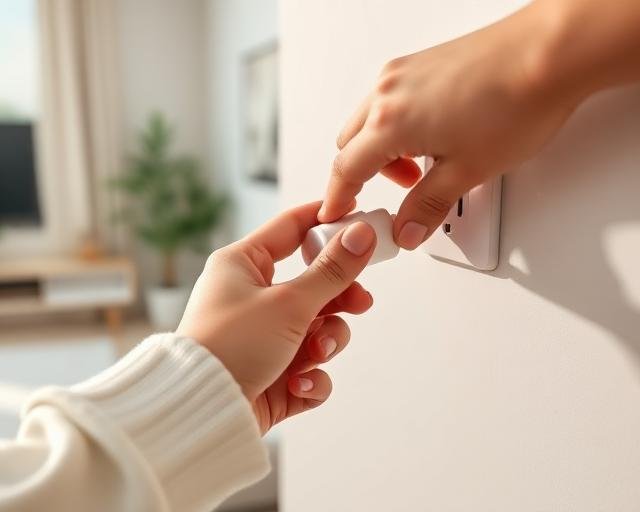
A smart plug sits between an outlet and an appliance. Models with energy monitoring report consumption in kilowatt-hours, the same unit shown on utility bills. A basic power monitor measures one plug-in device but may lack remote control. Whole-home monitors can reveal larger patterns, though installation may require an electrician.

How do you measure appliance costs?
Measure for long enough to capture a normal workday, evening, and weekend rather than judging a device from one short reading.
- Check the plug’s maximum load, voltage, indoor or outdoor rating, and appliance warnings before connecting anything. Never exceed the manufacturer’s rating.
- Connect one appliance, reset the energy counter, and note the starting date and time.
- Run the appliance normally for at least several representative days. Refrigerators, window air conditioners, and dehumidifiers cycle, so an instant watt reading can mislead.
- Record the kilowatt-hours used and divide by the number of days to estimate daily consumption.
- Multiply daily kilowatt-hours by your utility’s current energy rate, then multiply by 30 for a rough monthly cost. Check the bill because rates and fees vary.
For example, a device using 0.8 kWh per day consumes about 24 kWh over 30 days. At an energy rate of $0.16 per kWh, the energy portion is about $3.84. This example excludes fixed charges, taxes, and demand-based pricing.

Which devices are good candidates?
The best candidates have meaningful idle draw, predictable schedules, or controls that safely resume operation after power returns.
Entertainment centers
Measure televisions, game consoles, speakers, and streaming boxes together only if one plug can safely handle their combined rated load. Schedule overnight shutoff if updates and recordings are not needed.
Home offices
Monitors, printers, docks, and powered speakers may draw power after work. A weekday schedule can cut idle hours, but keep routers and computers outside grouped shutoffs.
Humidity control
Dehumidifiers can be substantial loads in damp spaces. Use monitoring to compare settings, and use the appliance’s own humidistat when possible rather than blindly cutting power.
Skip medical equipment, sump pumps, smoke or carbon monoxide alarms, security equipment, aquariums, and anything whose failure could harm people or property. Avoid smart plugs on space heaters, air conditioners, or major appliances unless both manufacturers explicitly permit that use and every rating matches.
How do you automate savings safely?
Automate only after measurement proves a schedule will save energy and the connected device tolerates routine power loss.
- Create an off schedule around actual empty or sleeping hours, then add a small buffer for late nights or early starts.
- Test the schedule while you are home. Confirm the device turns off, stays off, and returns to the expected state when power resumes.
- Review the app’s energy history after one week. Compare kilowatt-hours with the unscheduled baseline rather than trusting an estimated savings badge.
- Adjust the schedule if household routines change. A plug that gets overridden every day has the wrong automation.
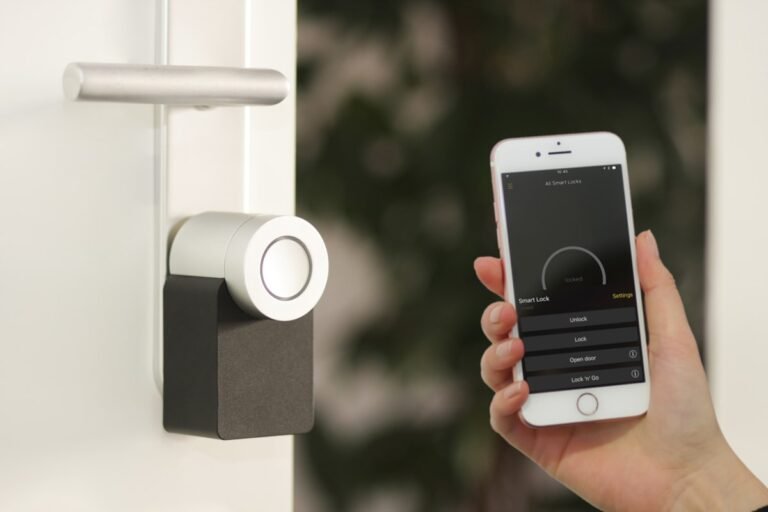
Smart plugs need network access for remote features, and platform support changes. Check the manufacturer’s current listing for Wi-Fi band, app requirements, hub needs, Matter support, voice assistants, and whether schedules run locally during an internet outage. Our guide to smart home hub compatibility can help frame those checks.
What mistakes erase the savings?
Small measurement errors and unsafe device choices can cancel the benefit or create a problem much bigger than the bill.
- Do not assume every standby load matters. A tiny draw may take years to repay the plug’s purchase cost, and the plug also consumes some electricity.
- Do not confuse watts with kilowatt-hours. Watts show power at one moment; kilowatt-hours show energy used over time and determine the useful bill estimate.
- Do not stack adapters, power strips, or extension cords to force a fit. Use a properly rated device and keep plugs visible, dry, and ventilated as directed.
- Do not treat remote control as proof of savings. Compare measured energy before and after automation.
If an outlet is warm, discolored, loose, buzzing, or repeatedly trips a breaker, stop using it and contact a licensed electrician. Do not open a service panel for a whole-home monitor unless the product’s instructions and local rules allow homeowner installation; panel work can expose lethal voltage.
Can renters use these tools too?
Yes; plug-in monitors are reversible, but renters still need safe outlets, permission for panel work, and a plan that does not disrupt shared equipment.
Photograph the outlet condition before setup, keep the original packaging, and remove app access before moving out. Avoid adhesive mounting on delicate paint unless the adhesive is rated for that surface. Our reversible DIY picks for renters cover deposit-safe mounting ideas, while our Smart Home Lab energy hardware coverage helps compare monitoring approaches.
How do you know it worked?
A successful setup shows lower kilowatt-hours for the same routine without missed tasks, nuisance shutoffs, or unsafe behavior.
- Compare equal periods: seven typical days before automation and seven typical days after it. Note weather changes for heating, cooling, or humidity loads.
- Calculate avoided kilowatt-hours, then multiply by the bill’s current energy rate. Keep the automation if the measured savings justify the device cost and inconvenience.
- If savings are negligible, move the monitor to another appliance. The monitor is still useful when it disproves a hunch.
Find the right monitoring setup
Tonight, choose one device with uncertain runtime, record its rated load, and measure it for seven normal days before creating any schedule. If you still need a monitor, compare plug ratings, energy-history features, local scheduling, and current platform support. Buy only after confirming the manufacturer’s instructions allow your appliance, outlet location, and household routine. Start with one plug, not a multipack.