Should You Put Smart Home Devices on a Separate Wi-Fi Network? (2026)
Yes — for most households, putting smart home devices on a separate Wi-Fi network is worth the ten minutes it takes to set up. A dedicated network (a guest SSID, a VLAN, or a second router) keeps a compromised smart plug or camera from having a direct path to your laptop, your phone, or the files on your home NAS. It’s one of the few security upgrades in this space that costs nothing.
Here’s what “separate network” actually means, when it genuinely helps, and the exact steps to set one up without breaking your Alexa routines.
What does a “separate network” mean in practice?
It means your smart devices connect to the internet without being able to see or talk to your other devices directly. On a single flat home network, every device — your laptop, your phone, your smart bulb, your neighbor’s borrowed printer login — can technically reach every other device on it. Segmenting splits that into two or more zones: one for people-facing devices with sensitive data, and one for IoT gear that mostly just needs an internet connection and an app to talk to.
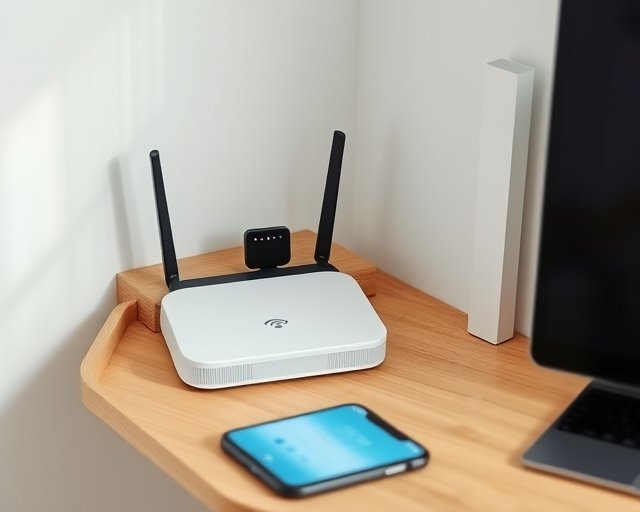
Most routers sold since around 2022 — Eero, Google Nest Wifi, TP-Link Deco, and most ISP-provided mesh units — ship with a built-in “IoT” or guest-network toggle that does exactly this without any networking background required.
Why does isolating devices actually matter?
Because smart home devices are, on average, some of the least-patched things in your house. A $20 plug or bulb often runs firmware nobody at the manufacturer is actively maintaining a year after launch, and it doesn’t get the automatic security updates your phone or laptop does. If one of those devices is compromised through a bug in its firmware or a weak default password, isolation is what stops that compromise from spreading.
- A breached camera on the same network as your laptop can, in theory, scan for open file shares or weak login pages on it. On an isolated network, it can’t see the laptop at all.
- Manufacturer cloud services occasionally get breached themselves, exposing device credentials; segmentation limits what an attacker can reach with those credentials even if the device itself is fine.
- Older devices you’ve stopped thinking about — a smart plug from 2021, a budget camera you meant to replace — are the ones most likely to be running unpatched code, and they’re usually the ones people forget are even on the network.
Security researchers and agencies including the FBI’s Internet Crime Complaint Center have repeatedly recommended keeping IoT devices on a network separate from the one used for banking, work, or file storage — it’s standard advice, not a niche precaution.
Guest network, VLAN, or second router — which one should you use?
A guest network is the easiest option and good enough for most homes; a VLAN is the stronger choice if your router supports it. The right pick depends on how much control you want versus how much setup time you’re willing to spend.
| Method | Setup time | Isolation strength | Best for |
|---|---|---|---|
| Built-in guest/IoT SSID | 5–10 minutes | Good — blocks device-to-device traffic by default on most routers | Anyone with a mesh router made in the last few years |
| VLAN with firewall rules | 30–90 minutes | Strongest — you control exactly what can talk to what | Households with a managed router (Ubiquiti UniFi, pfSense, OPNsense) |
| Second physical router | 15–20 minutes | Solid, but the two networks can’t easily share a hub or assistant | Renters or anyone who can’t touch the main router’s settings |
How do you set it up step by step?
On most consumer routers, it’s a four-step process inside the router’s app.
- Open your router’s app and look for “Guest network,” “IoT network,” or “Additional network” in settings.
- Turn it on and give it its own name and password — don’t reuse your main Wi-Fi password.
- Check for a toggle labeled “Allow guests to access local network” or similar, and turn it off. This is the setting that actually creates the isolation.
- Reconnect your smart devices to the new network through each device’s app, one at a time — most will walk you through re-pairing in a couple of minutes each.
If your router doesn’t offer this natively, a second router connected to your main one (as a separate access point, not in “repeater” mode) achieves nearly the same result, and an old spare router is often enough.
When is it not worth the hassle?
If your smart home setup is small — a few plugs and a bulb or two behind one voice assistant — the security benefit is real but modest, and skipping it is a reasonable call. The tradeoff gets more worthwhile as your device count grows, especially once cameras, locks, or anything with a microphone enters the picture. Households running ten or more connected devices, or anyone with sensitive work files on the same home network, get the most out of segmenting.
What about hubs and assistants that need to see both networks?
Devices like a SmartThings hub, Home Assistant box, or Amazon Echo often need to bridge both networks, and that’s where isolation gets tricky. If your phone is on the main network and your smart bulbs are on the IoT network, the Alexa or Google Home app on your phone still needs a path to discover and control them. Most guest-network implementations handle this automatically because the hub itself sits on the IoT network and talks to the cloud, which your phone also reaches — the phone never needs to see the bulb directly. Problems mostly show up with local-control setups like Home Assistant, where you may need to open specific firewall ports between VLANs rather than leaving them fully isolated.
Frequently asked questions
Does a separate Wi-Fi network slow down my smart devices?
No. A guest or IoT network uses the same router hardware and internet connection as your main network — it’s a logical split, not a physical one, so speeds for lights, plugs, and cameras are unaffected.
Can I use the same password on my guest network as my main Wi-Fi?
You can, but you shouldn’t. A separate password means a compromised device credential can’t be reused to get onto your main network, which defeats part of the point of segmenting in the first place.
Will my smart TV or game console work on a guest network?
Usually yes, but streaming devices and consoles sometimes lose the ability to “cast” from a phone on a different network unless you enable device isolation exceptions or use a router that supports selective bridging.
Do I need a VLAN-capable router to do this?
No — a basic built-in guest network on a mesh router or ISP gateway gets you most of the benefit. A VLAN is a step up in control, not a requirement to get started.
Last updated: September 2026.
Next: see how to secure a smart home network for the full router hardening checklist, or check whether smart home devices can actually be hacked for the bigger picture on device-level risk.